

KMXDD
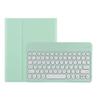
KMXDD Keyboard Case for iPad Air 13 inch M2, iPad Pro 12.9 inch 6th / 5th / 4th / 3rd Generation Color Keyboard Case Round Key Bluetooth Rechargeable Keyboard Case (Mint Green)
95,39 €
158,97 €
Save 40% (63,58 €)
-
 Order within 5 hours and 12 minutes to get between May 11 - May 17
 -
 Tracked Shipping on All Orders
-
 14-Day Returns
- Secure Payments
-
 24/7 Customer Support
Description
- Compatibility Color keyboard case compatible with iPad Air 13 inch (M2) 2024 Released Model number (on the back cover)A2898 , A2899 , A2900 iPad Pro 12.9" 6th generation 2022 Released Model number: A2436 , A2764 , A2437 , A2766 iPad Pro 12.9-inch 5th generation 2021 Released Model numberA2378 , A2461 , A2379 , A2462 iPad Pro 12.9-inch 4th generation 2020 Released Model numberA2229 , A2069 , A2232 , A2233 iPad Pro 12.9 inch 3rd Gen 2018 Released Model number A1876 , A2014 , A1895 , A1983
- Top Pencil Slot The iPad Air 13 2024 / iPad Pro 12.9" 2022/2021/2020/2018 PU leather case has a top pencil holder, Supports pencil charging , Convenient storage and Take out your pencil
- Retro Round key The iPad keyboard has Retro round key cap , Fashionable and cute
- Color panel The iPad keyboard has a color panel , There is always one color that suits you. Colorful colors make you happier when using the iPad
- 3 system Detachable design 3 system Detachable design iPad Bluetooth keyboard supports WindowsAndroidiOS these 3 OS , Can be used not only on the iPad, but also with other tablet and mobile phone
How to connect this keyboard to iPad
1 turn on the power button on the right side of the keyboard.
The power indicator will go out after flashing. This is to save power, not fault
2Press the FN key in the lower left corner of the keyboard, do not release it, and then press the C key
(Note: You need to press FN+C at the same time)
At this time, you can see the Bluetooth indicator flashing
This turns on the Bluetooth of the keyboard
3From the iPads home screen, tap Settings. Tap on Bluetooth.
Make sure Bluetooth is set to On, then let it search for devices.
Tap on a Bluetooth keyboard, when it appears, to pair.
4if an authentication (PIN) code appears on the iPad screen,
Enter the number with the keyboard and pressEnter key .
5When the connection is complete, the Bluetooth indicator will go out
6This is a 3-system keyboard,
If you are using this keyboard on your iPad
Please press FN key first, don't release it, then press E key,
This is a system for the iPad
Shipping and Returns
- We offer tracked shipping on all orders. Tracking information will be shared as soon as the order is dispatched.
- Please check the delivery estimate before adding a product to the cart. This is displayed for every product on the website.
- Available shipping methods and charges will be displayed at the time of checkout, depending on your exact location.
- All customers are entitled to a return window of 14 days, starting from the date of delivery of the product(s).
- Customers are advised to read our return policy for details of the return process, eligibility, refunds as well as cancellations or exchanges.
- In case of any issues or concerns about Shipping or Returns, please contact us and we will be happy to help.
KMXDD.
KMXDD Keyboard Case for iPad Air 13 inch M2, iPad Pro 12....
95,39 €
158,97 €
Save 40.0% (63,58 €)