

SINLOON
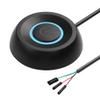
SinLoon PC Power Switch, Desktop Computer External Remote Start, Motherboard Button, Extension Cable with LED Light (Black)
42,69 €
71,15 €
Save 40% (28,46 €)
-
 Order within 7 hours and 49 minutes to get between May 11 - May 17
 -
 Tracked Shipping on All Orders
-
 14-Day Returns
- Secure Payments
-
 24/7 Customer Support
Description
- External ON/OFF switch for desktop computer: Use a power switch with a long cable to add or extend the power button in a place more convenient for you.
- Choose one of the remote PC power switches and the host switch: you want to use the original power switch of the computer and the external power switch at the same time. You only need to connect the two one-to-two splitters we provide and can maintain the original on/off button function and turn on the power supply with the external on/off button. Simple and comfortable
- Easy installation: simply connect the POWER LED+, POWER LED and POWER SW connectors to the motherboard, then peel off the 3M adhesive and stick it in the correct position.
- DIY Design PC power switch cable with LED is mainly used to replace old or damaged ATX power reset switch or computer host switch. Suitable for DIY computer switches and restart buttons
- Wide Application The cute shape and exquisite workmanship are loved by people. You can give it to your computer lovers, family and friends. This computer power button is suitable for Internet cafes, private homes, hotels, KTV, schools and companies waiting for computers host switch line
SinLoon desktop computer host, portable power switch
Specification:
4 Pin Connector: +HDD/+Power Switch - Male
Cable length: 1.6m/5.2ft
Material: copper + plastic + ABS shell Connection terminals: Power SW, Power LED+, Power LED.
Feature:
1. Makes computers easier.
2. Good replacement for damaged computer host switch.
3. Self Adhesive Stickers
4. Easy to install.
1) On the back of the case, find the hole corresponding to the power supply and insert the two free 1-2 splitter connection wires into the housing. (If you no longer use the original power button and only use an external extended power button, you do not need to use a splitter terminal line)
2) Replace the jumpers one by one, plug LED+ and LED in reverse order.
3) After checking whether all ports are connected correctly, make sure the start button and indicator lights work normally.
4) Both the original power button and the external power button must work normally.
5) If you do not need LED light effects, you cannot connect the two power LED ports.
5. In addition to the power switch, you will also receive a self-adhesive sticker that allows you to attach the switch to a suitable place.
6. You can buy other keycaps to replace your switches to make your computer case and keyboard better match the theme.
Widely used in households, offices, hotels, internet cafes, etc. Move the mechanical key switch of the desktop to a place that is more convenient to use and use.
7. Packing list:
1 x computer on/off switch with 1.6 m cable.
2 x power switch splitter cables.
1 x self-adhesive sticker.
Shipping and Returns
- We offer tracked shipping on all orders. Tracking information will be shared as soon as the order is dispatched.
- Please check the delivery estimate before adding a product to the cart. This is displayed for every product on the website.
- Available shipping methods and charges will be displayed at the time of checkout, depending on your exact location.
- All customers are entitled to a return window of 14 days, starting from the date of delivery of the product(s).
- Customers are advised to read our return policy for details of the return process, eligibility, refunds as well as cancellations or exchanges.
- In case of any issues or concerns about Shipping or Returns, please contact us and we will be happy to help.
SinLoon.
SinLoon PC Power Switch, Desktop Computer External Remote...
42,69 €
71,15 €
Save 40.0% (28,46 €)